parchis1.0.0
Publisher Description


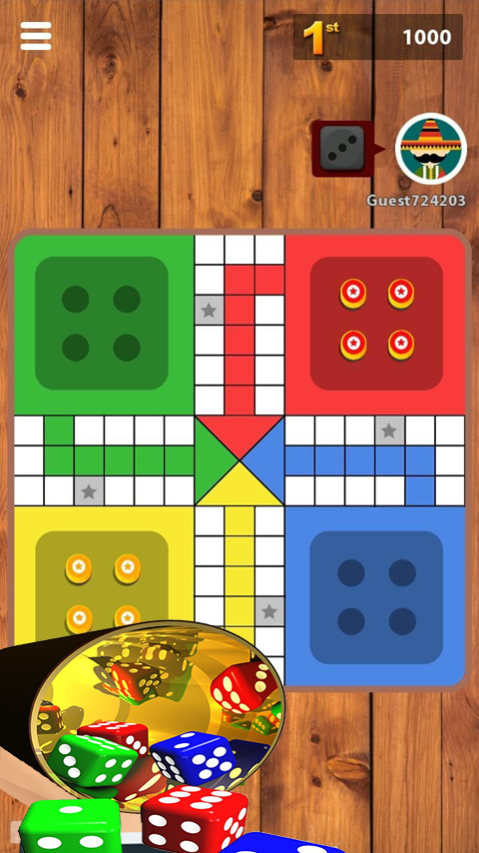

Do you want to be King of parchis called also Parcheesi?? Just start playing this game right now and win! You can be a bright ludo star.
you can play parchis games with your friends ,family &kids. Ladoo games can recall your childhood. If you want to be a leader and play ludo against the computer, against your friends,
parchis game features:
- Multiplayer (up to 4 players)
- Play with your friends on a device or on the Internet
- Play against Android
- New modern design with wooden board.
- Real Classic board dice game.
- Local Multiplayer.
- Online Multiplayer mode will be coming soon,
- Addictive and challenging board puzzle game.
Enjoy the best board game for kids with this Parcheesi! Be the king of the dice and start playing a free parchis match now! Have fun with your family in this star popular Ludo
There are many names about parchis. Ludo is known as Parcheesi in North America, Parchís in Spain, Parqués in Colombia, Chińczyk in Poland, Petits Chevaux in France, Reis ümber maailma in Estonia. And Ludo Comfun is a moden version of Pachisi, but now it is popular ludo games around the world. We can play ludo with multiplayers.
Now you just need a mobile phone, then you can enjoy ludo life as if you come back to a world where full of ludo memory.
Download our parchis Comfun now to play loodo game now! Enjoy the kingdom of succeed in ludo board game.
About parchis
The company that develops parchis is achraf fares. The latest version released by its developer is 1.0.0.
To install parchis on your Huawei device, just click the green Continue To App button above to start the installation process. The app is listed on our website since 2020-07-27 and was downloaded 16 times. We have already checked if the download link is safe, however for your own protection we recommend that you scan the downloaded app with your antivirus. Your antivirus may detect the parchis as malware as malware if the download link to C102587497 is broken.
How to install parchis on your Huawei device:
- Click on the Continue To App button on our website. This will redirect you to Huawei Store.
- Once the parchis is shown in the Huawei Store listing of your Huawei device, you can start its download and installation. Tap on the Install button located below the search bar and to the right of the app icon.
- A pop-up window with the permissions required by parchis will be shown. Click on Accept to continue the process.
- parchis will be downloaded onto your device, displaying a progress. Once the download completes, the installation will start and you'll get a notification after the installation is finished.
